
Send an order in normal language.
Open the demo and use its WhatsApp button. Write an example order as a customer would. You don’t need to learn a special format.
A working demonstration
Explore the journey from customer order to fulfilment. Seafood makes it tangible; the same approach can be adapted to other order-led businesses.
Shared fictional demo · No sign-up · Please use example orders, not private customer information.
Open the demo and use its WhatsApp button. Write an example order as a customer would. You don’t need to learn a special format.
Review the original message and the organised order lines. Correct uncertain products, quantities or units before approving the order.
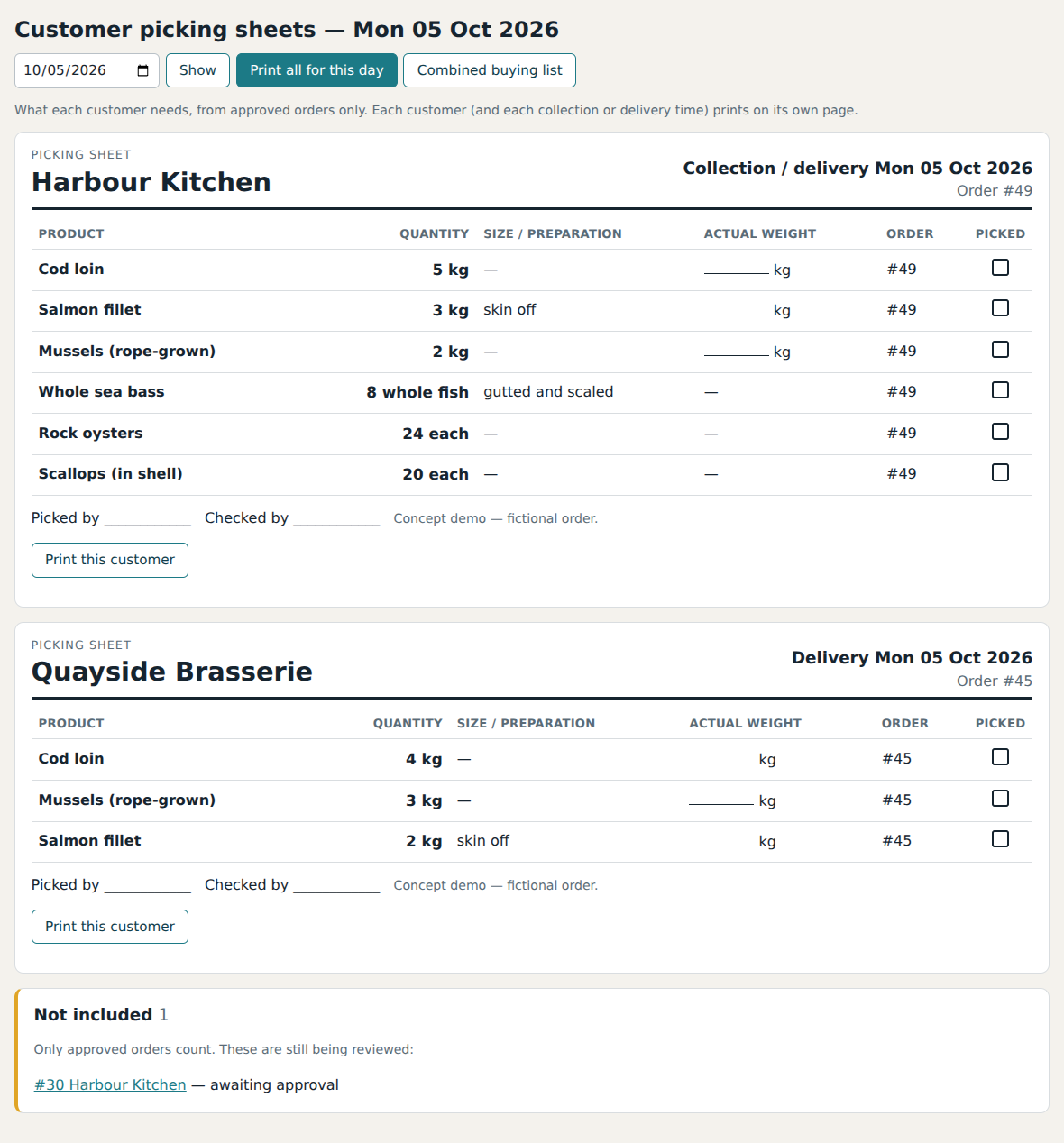
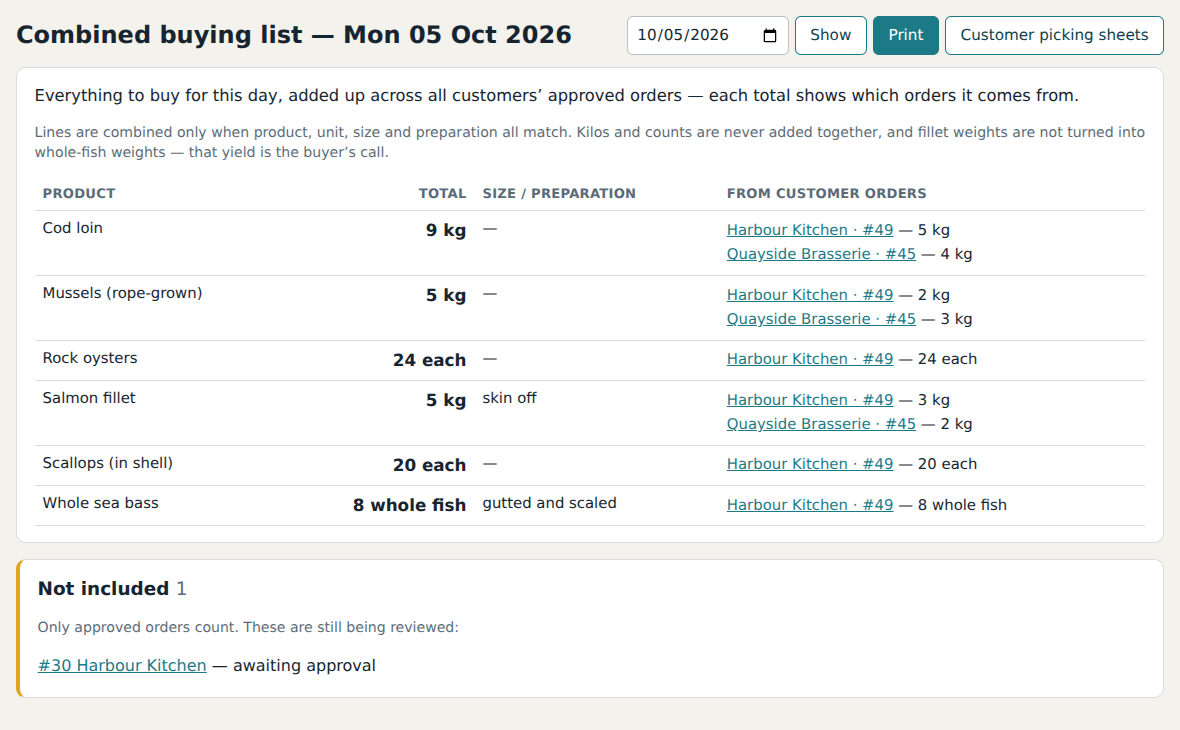
Approved orders feed customer picking sheets and a combined buying list. The team can see both each customer’s order and the overall demand.
Explore the invoice and payment workflow. The demo’s Xero connection is simulated; a real accounting connection is separately configured and tested.
Inside the software
From demonstration to your working day
We’ll look at the process, the exceptions and the tools you already use.